
Are the buttons on your GE Monogram appliance not working? Unresponsive buttons can make it hard to use your appliance. The control panel may be causing these trouble. You may think you need to call an appliance technician right away, but not every issue needs to be fixed by a pro. With a little know-how and the right steps, you can solve some issues on your own. This guide will help you learn how to fix Monogram appliance unresponsive buttons so it will work well again.
Understanding Unresponsive Buttons in Monogram Appliances
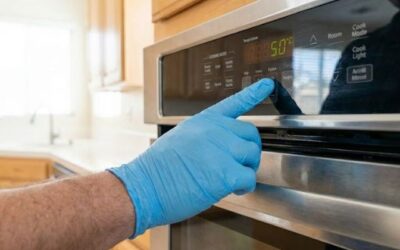
Unresponsive buttons in GE Monogram appliances can make daily chores hard. When the buttons do not work, it is often because there is a problem in the control panel. The control panel is the main part that helps run the appliance. If it breaks, the buttons will not send commands, and the appliance will not work as it should.
There can be different reasons for the button issues. The touch panel could have bad wiring. There may also be software problems or the panel could be worn out from regular use. If you do not fix these problems, they can get worse over time. This could mean costlier and bigger repairs later on. Finding the cause early can save you time and money. It can also stop the trouble of having your appliance fail completely. When you know what starts these control panel problems, you can find the right fix for your GE Monogram appliance. We will talk about these solutions in the next sections.
Preparing to Troubleshoot Unresponsive Buttons
Before fixing unresponsive buttons on your GE Monogram appliance, prepare the space and appliance. First, turn off and unplug the unit to avoid shock. Ensure the workspace is bright and clear for easy movement and tool use. Gather helpful information, including the model and serial numbers, and consult the manual for control panel details and troubleshooting tips. Once prepared, you can gather your tools and address the issue.
Tools and Resources Needed for DIY Repairs
To fix your GE Monogram appliance, the right tools are essential. Here’s what you need for working on the control panel at home:
- Screwdrivers: For removing the control panel or outer covering.
- Multimeter: To check electrical flow and diagnose wiring issues.
- Electronic cleaner: To remove debris or rust from buttons.
- Compressed air canister: To clear dust from touch panels.
- Protective gloves: To safeguard your hands when handling electrical components.
Additionally, consult guides like the Monogram appliance manual or online diagrams for detailed information on your appliance’s systems. With the right tools and knowledge, you can confidently tackle repairs.
Step-by-Step Guide to Fixing Unresponsive Buttons
Fixing buttons that do not work on your Monogram appliance does not have to be hard. With some simple steps, you can deal with button problems in a good way.
Step 1: Check and Clean the Button Connections
Often, when the buttons do not work, it is because the connections in the control panel are dirty and covered with rust. You should start by carefully taking off the control panel to get to the buttons and the parts that connect. Use a canister full of compressed air on these areas to clear out any dust or dirt that has built up. This can help make it work better.
Table:
| Step | Action | Purpose |
|---|---|---|
| 1 | Remove the outer panel | Access the internal button connections |
| 2 | Blow air over connections | Eliminate dust and dirt affecting button sensors |
| 3 | Use an electronic cleaner | Remove corrosion and restore conductivity |
If you clean these parts, the touch panel of your appliance will work much better. If you take care of the control panel often, it can stop these problems from coming back in the future.
Step 2: Test the Electrical Flow to Buttons
If cleaning does not help, the problem could be in the way power moves to the buttons. Use a multimeter to check if each button sends power to the control panel. If there is no connection, the wiring or button might have an issue.
Look over the control panel wiring for any damage you can see or wires that may be loose. You should tighten loose wires or put in new ones if needed, so the appliance can work well. If you think there is more damage, look in the Monogram appliance manual for helpful steps you can take with this model.
By following these steps, you can find out what is wrong and make sure the control panel buttons get the right electric signal. If the problem does not go away after you try these things, it would be good to get help from a professional.
Contact GE Monogram Inc Repair for Expert Service
Not every problem with the appliance is easy to fix at home. If you have a GE Monogram and the control panel buttons are not working, there is help. At GE Monogram Inc Repair, we have skilled appliance technicians who know how to handle these things. We fix control panel issues with care. Our team works fast to give you an easy and smooth service.
We know how to solve different problems, from touch panels that do not work to wiring that is not right. We have seen it all when it comes to the GE Monogram and other GE appliance problems. You will get care made just for you because our customer service team listens to your needs. We want you to get your appliance working well again, so the issues do not mess up your day. The best way is to contact us now for good help that gets your GE Monogram working like new.
Conclusion
To sum up, knowing how to fix Monogram appliance unresponsive buttons can save you time and frustration. Start by inspecting the control panel wiring for any visible damage or loose connections. If necessary, tighten or replace faulty wires to restore functionality. Always consult your Monogram appliance manual for model-specific guidance. Should these troubleshooting methods fail, reach out to a professional service like GE Monogram Inc Repair for expert assistance. Our team of experienced technicians specializes in resolving various control panel issues efficiently and effectively. Whether it’s a malfunctioning touch panel or compromised wiring, we have the skills needed to identify and rectify the problem swiftly. If you want help or want to read more, you can go to our other blog post about What to Do When an Appliance Stops Mid-Cycle. Good luck with your DIY repair!
Frequently Asked Questions
What are the first signs that buttons might become unresponsive?
Early signs of control panel issues in your GE Monogram appliance are easy to spot. Touch panel buttons may stop working or fail to register your touch, the screen might flicker, or settings may change unexpectedly. These indicate potential control panel problems. Acting quickly can prevent further damage and maintain your appliance’s functionality.
When should I consider calling customer service for help with my Monogram appliance?
If you have tried simple fixes like cleaning and resetting your GE Monogram appliance, and the problem is still not gone, it is time to call GE Monogram customer service. If the issue has to do with electricity or wiring, do not try to fix it by yourself. An appliance technician can check the problem and make the right repair. This will help your GE Monogram appliance work well for a long time.
Could power surges affect the functionality of buttons on my Monogram appliance?
Yes, power surges can disrupt your appliance’s control panel, causing buttons to malfunction or errors to appear. They may also damage internal wires or loosen connectors. Using surge protectors with your Monogram appliance helps safeguard the control panel, ensuring buttons function properly despite electrical fluctuations.